
We Tried Two of The Most Popular Password Managers: This Was Our Favorite
RoboForm and LastPass may seem like similar password managers, but one is clearly better
By:
Last Modified:
If you’ve ever forgotten a password or gotten temporarily locked out of an app, you’re not alone. With so many accounts to manage in today’s hectic world, no one can be expected to remember all of their logins. The good news is you don’t have to: Just use a password manager.
Basically, a password manager is a secure application that stores all your login credentials in one safe place, so you only have to remember one master password. Instead of reusing the same login or trying to recall dozens of credentials, the manager handles it for you.
Are they necessary? We think so. While some browser extension options offer convenience for managing passwords, they are generally not as reliable or secure as dedicated password managers due to weak encryption.
There’s a ton of password managers out there, and knowing which one to pick can feel confusing, so we tasked our editors to find the top two and compare them.
RoboForm and LastPass have been major players in the industry for years. RoboForm has been in business for 25 years and has an excellent rating from PC Mag and TrustPilot, and LastPass got its start back in 2008.
Both offer great features and peace of mind, but when we tried them for ourselves, there was a clear favorite.
RoboForm
An easy way to protect your passwords
RoboForm is an easy-to-use alternative to saving your passwords in your browser. Instead of recycling old passwords or trying to remember dozens of new ones, you only have to know one.
Key Similarities
- Both allow you to store unlimited passwords securely in a personal vault
- Both autofill login credentials across websites and apps
- Both have built-in password generators that help create strong passwords
Key Differences
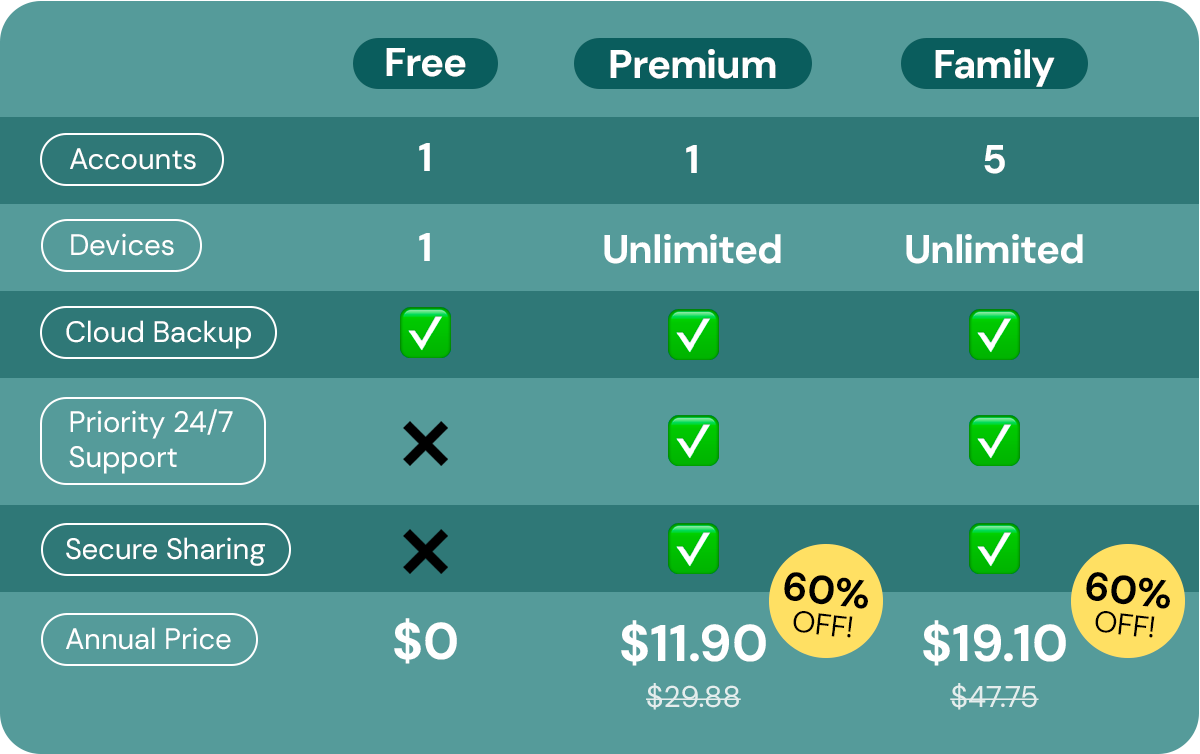
- RoboForm has cheaper individual and family plans, and they’re both 60% off now
- LastPass offers 1GB of encrypted file storage
- RoboForm’s interface is simpler, and it has live customer support
Pricing
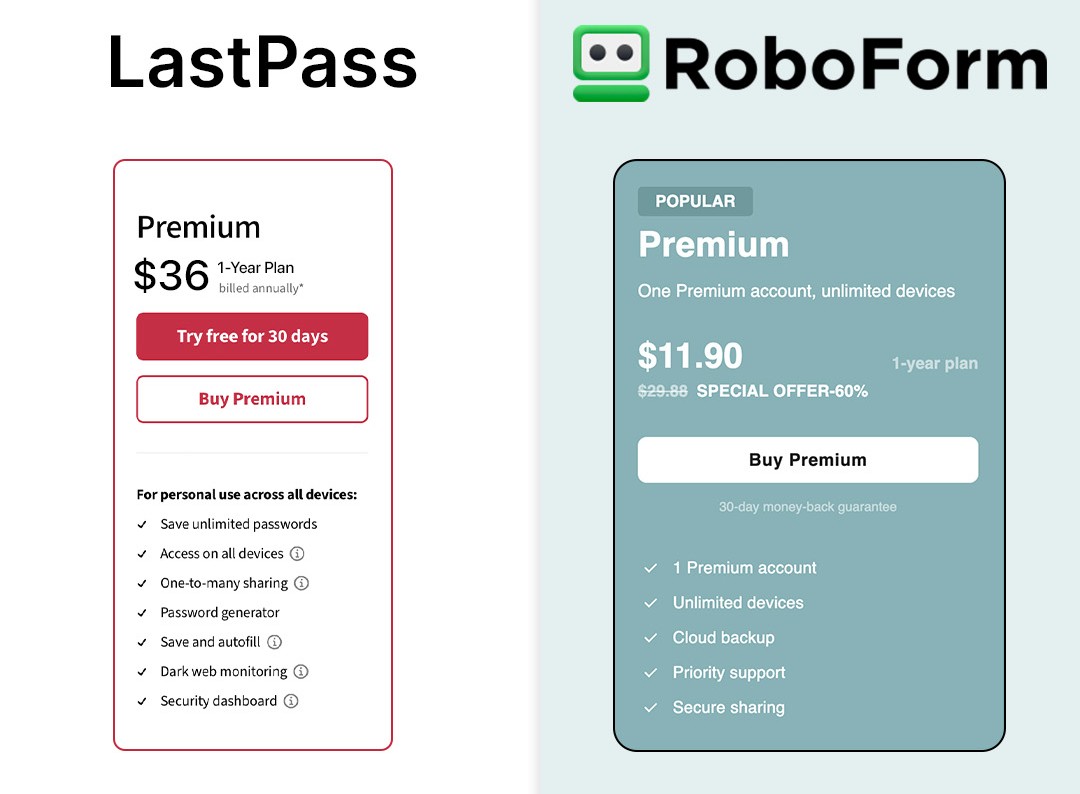
RoboForm has three pricing tiers for different types of users, but we think their Premium Plan gives you the most bang for your buck. LastPass has five pricing tiers, but two of them are for businesses. Their premium offering is almost three times the price of RoboForm.
Winner: RoboForm
Setup Process
RoboForm
Getting started is simple: Sign up on RoboForm’s website or download one of the apps and create an account, which requires an email address and your full name. Then, you’ll come up with a strong master password — the only one you’ll need to remember from here on out!
After that, you’re taken to a clean, user-friendly home page where you can save passwords, generate new ones, or enable two-factor authentication. You can authenticate your identity using an email address, SMS, or a mobile authenticator app. We got set up in a matter of minutes without any issues.
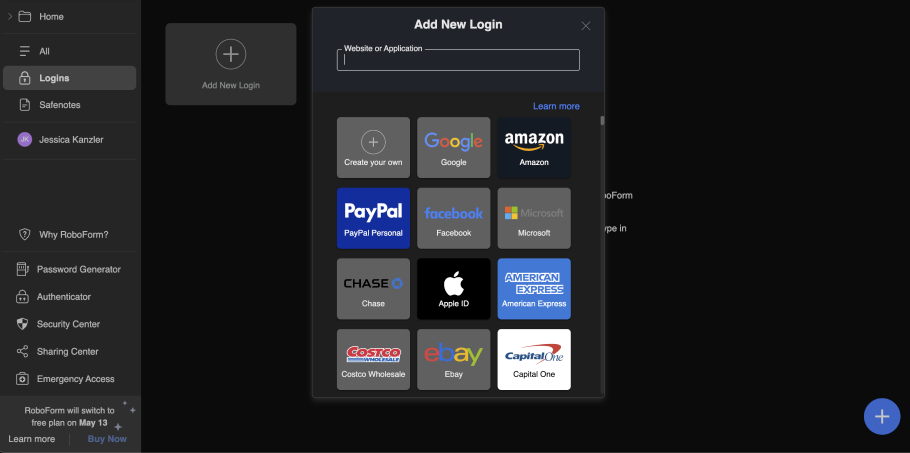
Setup can take a little more time if you manually enter passwords all at once, but it’s very easy to navigate.
Alternatively, if you’d rather skip spending time adding all your passwords manually one by one, RoboForm can do the job for you if you have a Premium account.
Once you have the extension installed on the browser you’re using, simply visit the site for which you would like to save your login information, and RoboForm will give you the option to save it to your master vault. You can import credentials from almost anywhere, including common browsers like Chrome, Firefox, Edge, and Opera.
LastPass
After signing up, you’ll create your master password and can either enter credentials manually into your vault or log in to websites as you go, and LastPass will offer to save the login for you.
If you just follow the prompts, setup is smooth. However, if you dig into advanced settings or start customizing things early on, it might feel a little overwhelming, especially for less tech-savvy users.
Winner: RoboForm
RoboForm
Protect all your passwords
RoboForm makes it so much easier to protect all of your accounts. Save, generate, and manage all your passwords from one place.
Ease of Use
RoboForm
RoboForm is easy to use, even if you’re new to password managers. Our editors were pretty impressed with its intuitive and user-friendly interface. If you’re not a tech whiz, no sweat, you don’t need to be; when you create your account, you’ll be offered a short YouTube tutorial that can help walk you through the features.
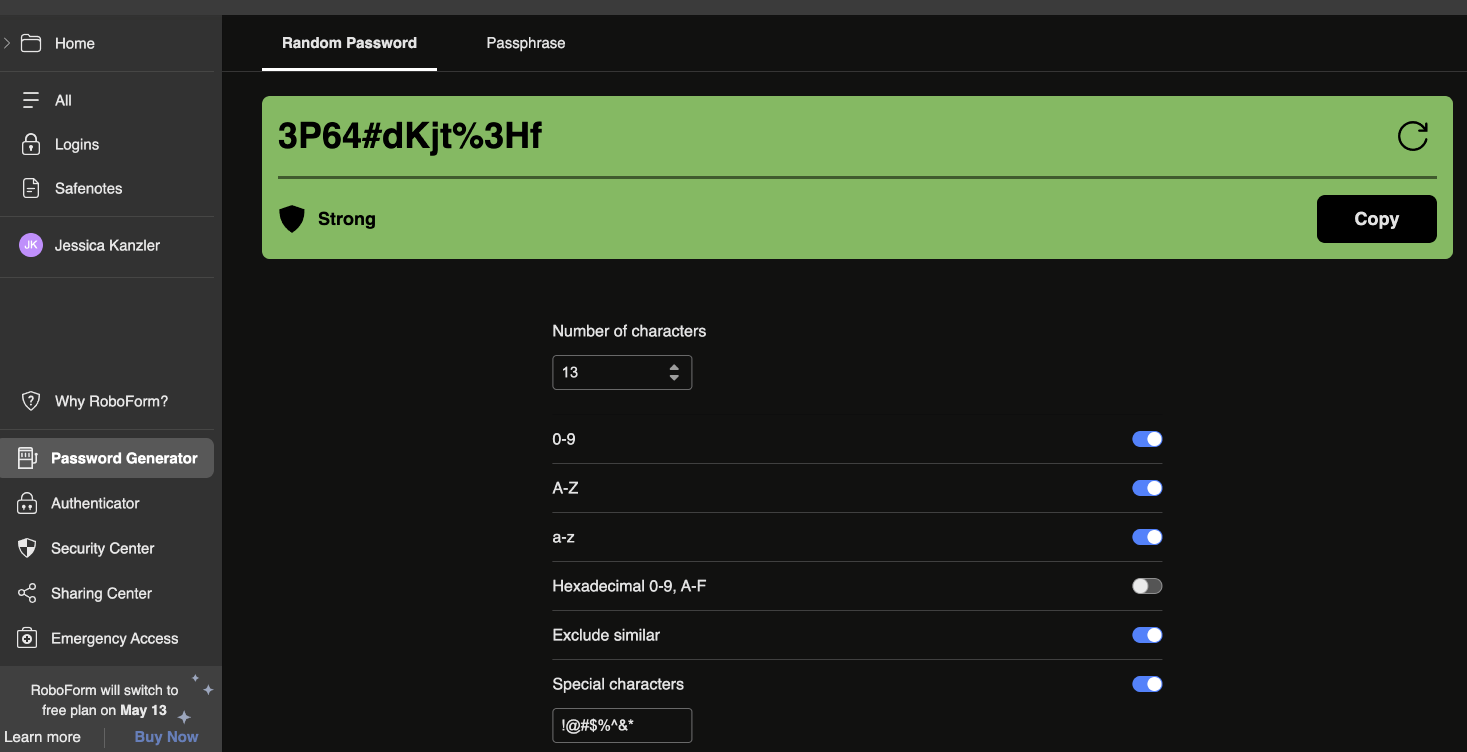
RoboForm is a cross-platform application, meaning you can switch between devices and browsers easily and still access all of your passwords.
LastPass
Once you’re signed in, LastPass handles most logins without any extra work. It autofills usernames and passwords when you visit a saved site, and you can even set it to log in automatically.
When you create a login, LastPass offers to save it to your Vault and can generate a strong password on the spot. You can decide whether to autofill or autologin, too.
Winner: Tie
Final Thoughts
RoboForm and LastPass are both solid choices, but which one is right for you depends on what you value most.
If you want something simple, effective, and cost-effective, RoboForm is hard to beat. It gets the job done without overwhelming you, especially if you’re managing logins for multiple people.
LastPass may be better suited for more advanced users, but it recently had some pretty serious security breaches, one of which resulted in a $150 million cryptocurrency theft. RoboForm has a 30-day money-back guarantee, so you can try it for yourself at no risk.
Get 60% off RoboForm Premium now for a limited time!
RoboForm
Save 60% on RoboForm Premium today
RoboForm is easy to use, quick to set up, and much more affordable than LastPass, and you can try it yourself with no risk.
